A4 Leather Portfolio Cover that is very similar to the design created by The Great Break. This one doesn't have its logo or markings and was created for a brand. Check it out!
Leather products are my favourites, and I do a lot of them from various brands whenever I find them and create product review videos for the same. I am still looking for a laptop backpack or messenger bag in leather. If any brands want to send us their products, they can contact me at editor@thelifesway.com
July is my birthday month and last year during these times, I was suffering from Covid-19 as I celebrated my birthday. It was a bad phase in life and I was in a dream loop and could not sleep well. I felt like a zombie even in sleep. The mental tension that was aroused due to the covid symptoms is really bad and the health is also down and your food habits take a bad hit too. Thanks to the Almighty Lord I could come out of this phase and recover from the same too.
This year as well I didn't do many blog posts other than some for Nokia and Samsung. The products featured in those releases, I have not seen myself to date. I have used some but most of them I have not.
It's fine as this month I have done a lot of reviews and attended a lot of events and more over my parents were there for my 42nd birthday this time. I went to the Modern Tailor Restaurant in Rosebank but we didn't like the vegetarian food at all. It's not worth my taste buds though the place is always full.
The best part about July 2022, is that 4000 hours on YouTube were achieved by my channel - The Life's Way and the monetization application got approved in only 2 days. Overall, money earned during the whole month was USD 25.82. The highest amount ever was achieved in a single day on 28-July-2022 USD 3.28 which to date I have not been able to touch or cross. I need your help to cross the same during the rest of the year.
I am going to post a lot of historical technology that I own for the last many years and that survived all these years. Watch out for my channel and the upcoming promotional posts on the blog too in the coming days ahead. Once again, Happy Birthday to myself! This year I told my family I don't want any gift and they took it seriously and didn't buy any at all for me. Even the kids didn't make any birthday cards this time! I think next time I have to be cautious with my words for sure!
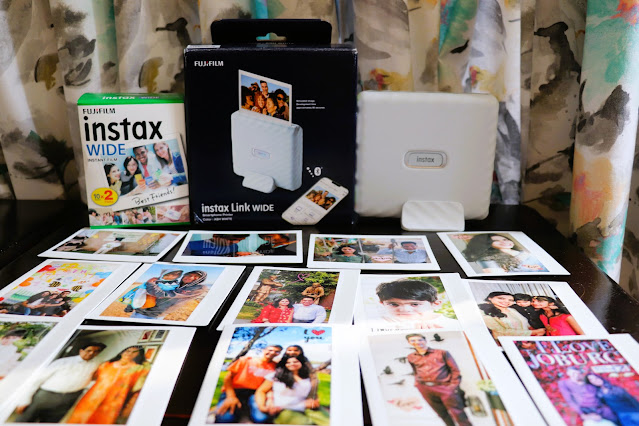
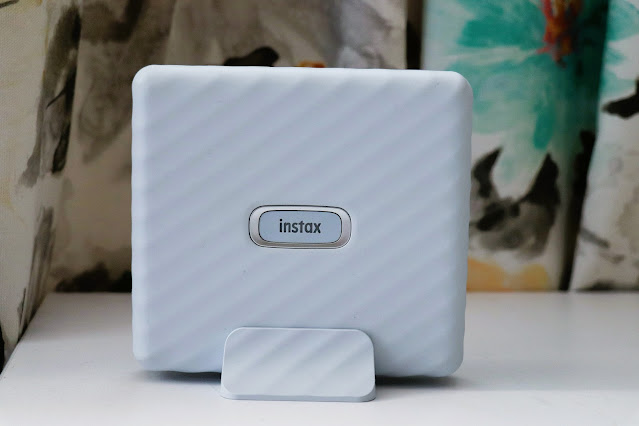
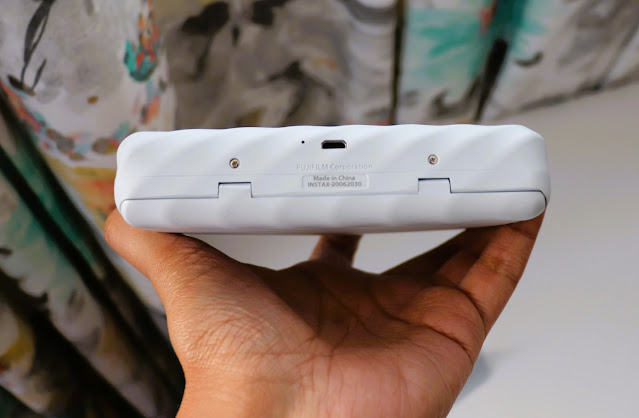
Instax loved my review of miniLiPlay and miniLink printer and sent me this new Instax Link Wide Smartphone Printer to test and review the same too. I received the same in Ash White colour and the device is also available in Mocha Gray colours too. By the end of the review time, I wanted that the device shall remain with me due to several points which I will share with you guys here in my blog post.
1. Size of the prints - This device and the wide Instax prints have definitely brought Instax to the normal film prints we used to collect when we were using reel cameras from Kodak and other brands. I still have lots and lots of photos stored in the albums in the postcard size prints (90mm x 130mm). Using this wideLink camera you can print any photo of your choice using the smartphone app in 62mm x 99mm size which looks much better than the smaller Instax prints. The use cases to have these bigger prints can be many as they give you the creative ability to do whatever you want. The pack of 10 instax films is only marginally expensive and retails around R199.
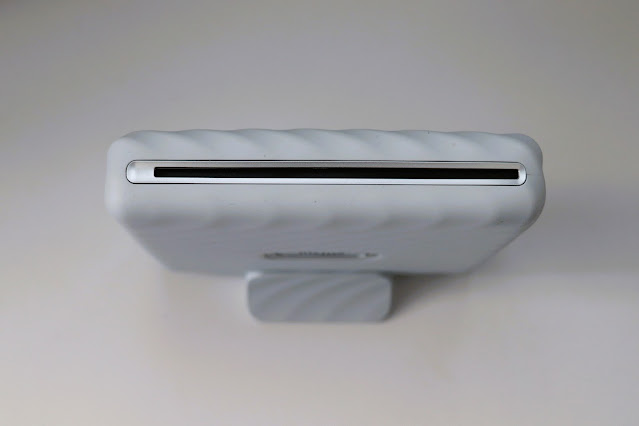
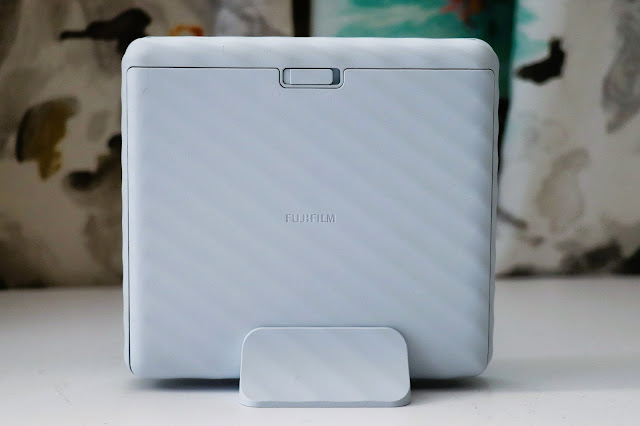
2. Portability and Convenience - The device can be recharged using the micro-USB charging cable and could have been a Type-C as it's launching in the year 2021 where almost all the devices are Type-C. One charge can print up to 100 prints easily and takes around 2 hours to fully charge. The package also contains a plastic stand where you can place the device to upright it. The device looks beautiful and can be carried too as it's only 340 grams. There is a strap that comes in the package to make the portability easier but the stand you need to put it someplace safe so as to not lose it.
3. Instax App and Filters - Instax always have an exclusive app for all of its printers and this time also launched a new app for both android and iOS platforms named Instax Link Wide app. Now once the app is installed, how the photos need to come all lies in your creativity. From simple photos to getting stickers on the photos to QR codes for secret hidden messages, the use cases for your creativity are numerous. There are editable templates, collage prints, can use stickers and you can even sketch and print your own designs on your photos. This time because bigger sizes do require better colour tones for print, the app also has a mode to showcase rich prints using two modes named rich and natural based on your choice.
I really loved this device due to its bigger photo print size but once you are in this business you need to decide which photo printers you should go for as the price of the device is around R2599 and every film pack will cost around R199. You can also check out if you are in love with normal prints any Canon Selphy printers where the overall cost is half as compared to the Instax device. The style and design factor is amazingly high on this device as compared to any other smartphone printer from other brands. I am sure you will never go wrong making this investment if you are into photo printing for fun and creativity.
I did an unboxing video of the device on my Youtube channel which by your grace is now near 1000 mark subscribers and has more than 250 videos for your viewing pleasure. Thanks to Instax South Africa for sending their amazing products for my review and now I am thinking of putting all of the photos in an album specially dedicated to Instax prints.
Cheers!!!
Support me if you like reading this blog post by buying me a cup of tea (so far USD 0.00) - https://www.buymeacoffee.com/TheLifesWay Contact at thelifesway@gmail.com to collaborate and promote your services and products. Subscribe to my YOUTUBE Channel for giveaways, product reviews and mystery unboxings. #TheLifesWay #10YearsofTheLifesWay. Namaste!
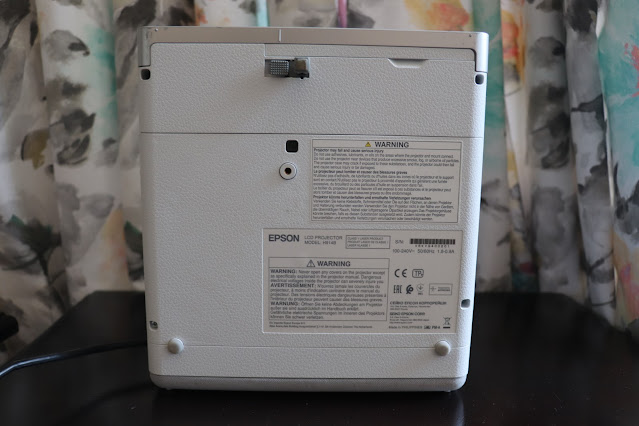
I received this Epson Home Projector EF-100W from their PR company for review for around 2-3 weeks and found this to be a one-point projector to go for if you are in need of an enlarged screen, portability to carry it to Kruger National Park only if the residents near you allow you to play it loudly, also it offers 150inch of display which is way above any home projector currently in the market and the use cases are enough to spend around R7999 as marked on Takealot.comwebsite currently.
I first saw the Epson HD projector when one of my friends came back from the USA and told me that rather than buying a big TV he bought this Epson HD projector which can have as much display as you want or have a ceiling or wall between the table and the projector. He even showcased his marriage ceremonies video for our viewing pleasure on his wall way back in 2011 or so. I thought that day that I will have to own one day but that day has still not arrived in the last 11 years now.
Coming back to the features of Epson EF-100W Home Projector, Epson has tried to accommodate a lot of components into a single machine which makes it unique too. I have not checked the other brands of Home Projector like Acer, LG, Sony or Samsung's latest released Freestyle so far. I fell in love with the Acer's small projector which easily fits in your pocket and the review is posted here.
Epson EF-100W is a nice package with a total weight of around 2.7 kilograms. The design and build is unique in terms of hidden compartment for all the cables along with a streaming device like Amazon Fire TV stick can be placed on the back panel which is made of cloth and plastic. You can even power the stick as a micro-USB cable is provided to charge the same. This is something that I was so happy to see how neatly the whole package can be transported in a bag without the unnecessary cable management to be done. Epson provides a warranty of 5 Years on the device which is really great.
The white coloured model I received really looks great with grills in the front as well on the side to make the airflow smooth but as you know the case with any projector, you don't need a heater as the warm air can heat the environment around the device. Also, the fan in this one doesn't make that much noise to interfere with the audio of your content being played as the device has 5W built-in speakers too making it really enjoyable on the go. Moreover, this model also offers to connect with any of your Bluetooth speakers from soundbars to normal ones. For a personalized experience, it still got a 3.5mm jack to plug in your headphones.
Once you have positioned (on the side or normal position) the home projector then the rest of the device can be remotely controlled using the remote that is part of the package so that you can enjoy the streaming platforms without any disturbances. The Epson EF-100W is a 2D projector with various video modes to suit your taste like Natural, Dynamic, Cinema and Bright Cinema. The bright cinema makes it really easy to watch and use the projector in broad daylight also. It's not a projector you will only plug and play in the evenings as it can work the whole day long too. The manual controls on the body of the projector include the power on-off button, volume up and volume down button, manual focus ring, horizontal and vertical corrections.
The closer you can keep the projector to focus is around 30 inches and can be taken up to 150 inches wide screen size. This means that it can work great if you want to play games and sit close to the wall too. The lens focus is manual using the button on the top of the device. The lens life as told by Epson is around 10 Years derived with the usage of around 5 hours daily in the Eco mode. The colours are good for your eyes as the technology used is 3LCD with RGB liquid crystal shutter along with laser light source which can produce bright and can reproduce 1.07 billion colours on the displays easily. I played my video in 1080p via Youtube and I didn't have any problems whatsoever in watching the HD content. In terms of inputs, there are 2 USB 2.0 and 1 HDMI. You can also lock the device using the Kensington lock if being used in an office or public places etc.
One thing here is that any home projector won't be able to match the picture quality on the QLED/OLED TV displays your eyes enjoy but it definitely brings the portability anyone is looking for. I have made up my mind that I do need a home projector in my life and maybe in 2022, the wish will be fulfilled else TheLife'sWay has to earn a lot of money to buy the same.
You can also check out the unboxing video of the device to look and feel the device in a video mode on my Youtube channel and if you like consider subscribing to my channel for more such videos.
Cheers!!!
Support me if you like reading this blog post by buying me a cup of tea or coffee - https://www.buymeacoffee.com/TheLifesWay Contact at thelifesway@gmail.com to collaborate and promote your services and products. Subscribe to my YOUTUBE Channel for giveaways, product reviews and mystery unboxings. #TheLifesWay #10YearsofTheLifesWay. Namaste!
Nokia is trying to revive itself in the Android smartphone market after not following my advice some 10 years ago when I received a review device in London from Belgium via AC Nielsen survey company for some pounds in agreement to review the device for 4 weeks. Nokia is now flooding the market with its varied range of products from entry-level to top of the class as shown in No Time to Die - James Bond movie.
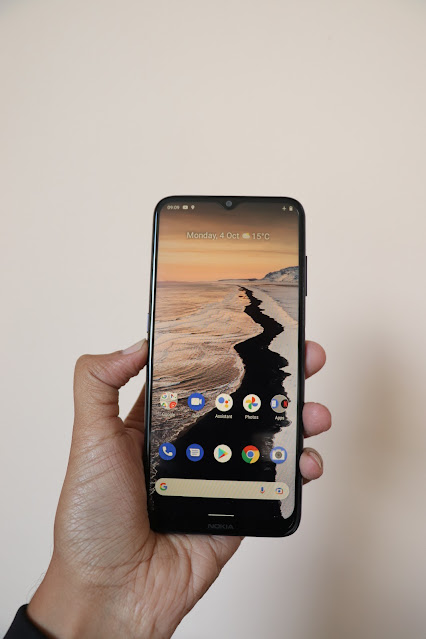
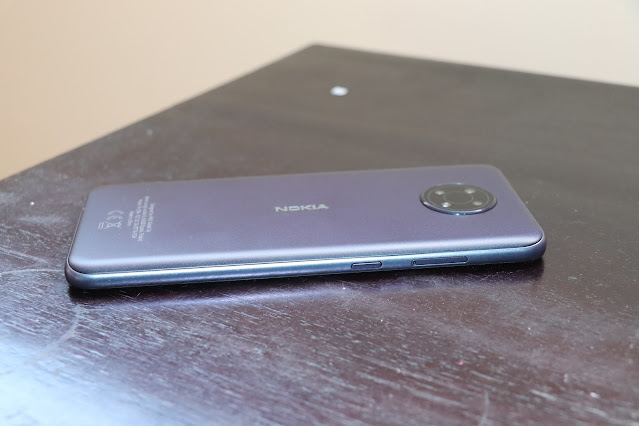
Nokia G10 is a value-segment dual-SIM smartphone that has 6.5 inches HD+ large immersive display. It comes with 3GB RAM and 32GB ROM which really makes it within the reach of value segment consumers. The storage can be expanded to 512GB using the micro-SD card.
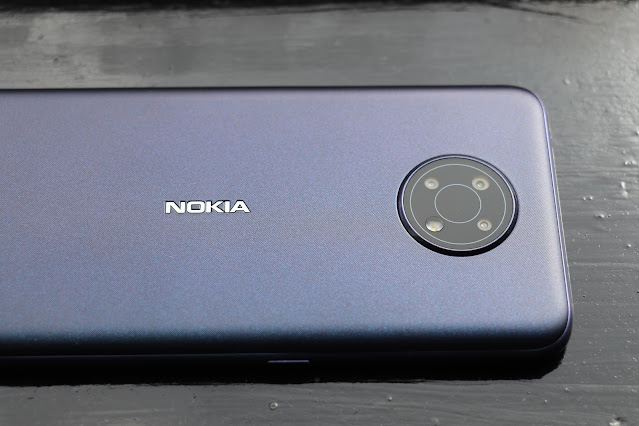
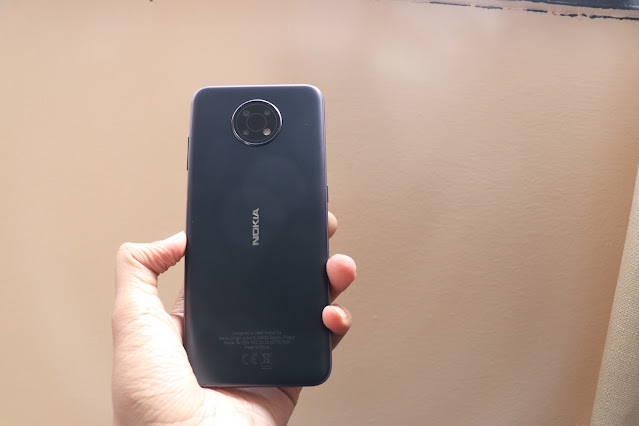
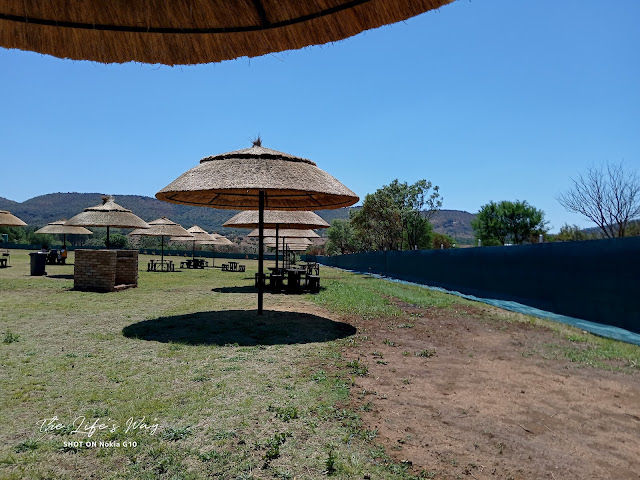
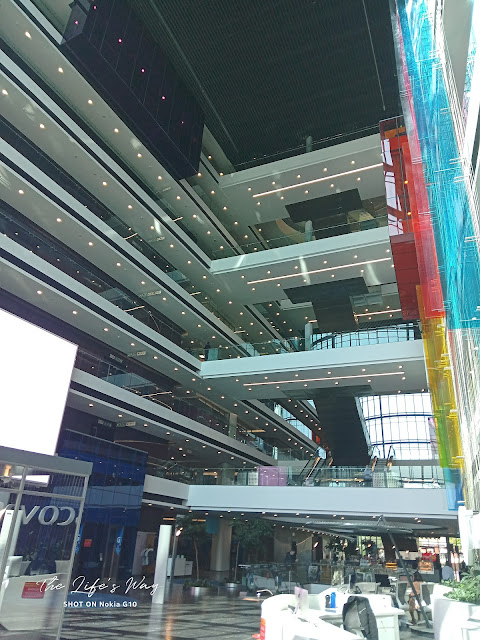
It has a 13MP camera with 2MP and another 2MP camera along with an 8MP front camera. It also has a night mode and portrait mode to up your mobile photography game. I did love the circular camera design which makes it easy to recognize if you see it in someone's hands.
Nokia G10 also has a side fingerprint sensor for biometric security never seen before in the value segment devices.
There is a specific Google Assistant button on another side which I was not much fascinated about. It keeps giving you tips but I am not so sure how do we switch it off. I could not find any setting where this can be turned off. I really felt irritated due to the same as if you are connected to wifi, the device keeps reverting with some or the other answers even without saying Ok Google!
A screen protector is already applied to the smartphone which keeps the screen protected. I also loved this blue colour and the design as it matches the thread structure of the jeans.
The biggest feature is its 5050mAh AI-assisted battery which provides 3-day battery life with Type-C charging port. It can easily last you a complete 24 hours easily without worrying about charging it again and again.
The smartphone package has a dual-SIM smartphone, silicon cover, sim ejector pin, earphones with a 3.5mm jack. Nano SIM is what this smartphone needs to work and it's a 4G (LTE) smartphone.
The smartphone comes with an Android One guarantee to get the latest Android updates for the next 2 years just like all Nokia devices come with. Samsung has not upped the game with 4 years of Android updates so I am sure Nokia will take this forward too in the upcoming devices.
Nokia G10 is only R2499 with a Dual Sim model so it is definitely within the reach of every student and individual who wants to enjoy the pure android power in their hands. Currently, it's on sale at the Incredible connection website for only R2199. Overall it's a good phone for people who just want a Nokia android experience guarantee for the next 2 years along with some of the features which are not available in the South African market in this price range.
Cheers!!!
Support me if you like reading this blog post by buying me a cup of tea or coffee - https://www.buymeacoffee.com/TheLifesWay Contact at thelifesway@gmail.com to collaborate and promote your services and products. Subscribe to my YOUTUBE Channel for giveaways, product reviews and mystery unboxings. #TheLifesWay #10YearsofTheLifesWay. Namaste!
I recently moved from my old Samsung Galaxy Note 8 smartphone to the new Samsung Galaxy Z Flip3 5G smartphone and this was my first foldable phone ever from Samsung other than the basic one in the shape of the car which my brother gifted me long ago. The same in the red colour I never used because it was only working with a single telecom operator and I was not a subscriber of that operator in India.
When I thought of setting it up, I mistakenly thought of Smart Switch as generally I love setting up a new device in a new way with taking out all the previous apps and only taking data which is necessary but considering the amount of space new Galaxy Z Flip3 5G has and which is a massive 256 GB, I thought of taking all my data along with songs, contacts, pictures, videos and installed apps across the platform to the new device.
The Smart Switch is really intelligent as it asks which operating system (iOS or Android) is on your old device, and what medium you want the data to take place by - options being cable or wifi. My choice was really simple an android smartphone to a new android smartphone and on a wi-fi network only. The first step it did was to install the smart switch app on both smartphones and establish a connection between the two devices. It asked me also what content type (data, documents, SMS, contacts, video, audio, pictures etc) I wanted to move across to the new device and I checked all the options provided to me which are tabulated below -
Accounts - Google and Samsung accounts are automatically transferred to your new Galaxy smartphone. It doesn't mean the old phone loses those but it creates a copy in the new phone also.
Calls and Contacts - All your call history and contact list are created on your new smartphone. 1MB calls and contacts were there in my case. Ironically the main feature for which phones were used only takes so less space still and other features are taking a lot of the space like images and videos etc.
Messages - This is something which I have missed over the years as and when I have changed smartphones. These get lost with the last smartphone but now they are also getting created into the new phone. I wanted them because it has the vaccination code or details which will get me to generate the new PDF version online later. 1MB messages only in my case.
Apps - All your installed apps are also installed into the new smartphone. This feature makes your life really easy else sometimes you forget the names of the apps if not used in a long time. Around 3GB of apps for my case.
Settings - All your settings are also migrated and recreated into the new smartphone. It was just 7MB in my case.
Home Screen - If you have created any settings for your home screen those will be enabled in the new smartphone also. 21MB in total for me.
Secure Folder - This is something Samsung smartphones has to take care of all your special documents, photographs or anything of importance which you don't want anyone to access without the security features known to them. In case they know your pattern etc then you should change it immediately.
Images - All your folders in the gallery of photos taken using your smartphone will be copied into your new smartphone too so the seamless experience can continue but now you need to remember which photos you clicked using which smartphone but don't worry details can tell you everything about the photograph in question. The best part is all your WhatsApp images, Instagram images and any other downloaded photos will also be migrated. 15 GB of images I had.
Video - All your videos are also copied across to the Galaxy device. This is the part that takes a lot of time because of the sheer size of taking 4k video files. 18 GB of videos were there in my case.
Audio - All your downloaded songs or any files you saved on your device will also be copied to your new phone and in my case, I observed the Samsung Galaxy Z Flip3 is a jukebox in itself as it can produce such nice loud audio without distortion even when in flipped position via its speakers. 3GB of audio files were there in my case.
Documents and Files - All your important bank statements, credit card bills or any other invoices you have received or ebooks you have downloaded will be transferred to the new smartphone. This really makes life easy as you can continue to read them on the new phone and don't need to redownload from your emails in case required. 1GB of documents were there in my case.
There are certain data that can't be transferred using the Smart Switch App -
Contacts: Contacts saved on the SIM card, SNS (Facebook, Twitter, etc.), Google accounts, and work email accounts are excluded.
S Planner: Appointments synced with external accounts, such as Google, and calendar stickers are excluded.
App data: Data saved in private storage cannot be backed up but once you log in the details in your new smartphone it will reappear from the same cloud.
Email: Social Hub and Premium accounts (Push email) are excluded.
Live wallpapers and themes: Live wallpapers and themes are excluded. You can reinstall these from the Galaxy Store. I am sure you won't want to install the same wallpapers on your new smartphone as Samsung always provides some unique wallpapers and themes for new Galaxy Smartphones.
The overall process also tells you the time it will take and the total data transferred and selected by you. In my case, the data size was around 43GB and it showed around 26 minutes to do so. The best part is if you have a micro-SD card installed in your old device all data on that can also be considered for transfer to a new phone.
While the whole process continues to work towards completion in the background, the phone allows you to create content using the new smartphone camera and access other apps too. This is something great but you need to keep it together with the old smartphone in the same wifi environment. Else if you use a data cable to transfer then you can complete the process anywhere. Data cables are the ones provided these days in smartphone packages.
I am thankful to Samsung Electronics for making this process quite seamless using the Samsung Smart Switch Mobile app available on Google Play store and even on iOS. When I was doing the unboxing for my smartphone, I created this video and it includes the whole process too in case you want to watch it. Check it out here -
For me, the whole process took around 2 hours running in the background which also made the phone little heat up but overall it's a great feature that doesn't need your manual intervention. I was also charging the phone concurrently as it just came out of the box/package and I was charging it for the first time so maybe it was using all the resources in its full capacity which built up the heat but I am sure the phone is capable to handle it easily. In my case, I stress tested the smartphone on the first day itself but I am totally in love with the Samsung Galaxy Z Flip3 5G in Phantom Black colour. Thanks, Samsung for the Galaxy World in my hands, ears and pockets!
Cheers!!!
Support me if you like reading this blog post by buying me a cup of tea or coffee - https://www.buymeacoffee.com/TheLifesWay Contact at thelifesway@gmail.com to collaborate and promote your services and products. Subscribe to my YOUTUBE Channel for giveaways, product reviews and mystery unboxings. #TheLifesWay #9YearsofTheLifesWay. Namaste!
I have been a die-hard Nikon fan for the most part of my life and never ever I saw towards any of the Canon products and when I came to South Africa 7 years back, I started going to the Canon Roadshow Events every year for the free goodies they used to distribute to the people attending the show. Over the time period, I thought of trying out at least one of the cameras and bought their Canon 100D entry-level DSLR camera (18-55mm kit lens) along with an extra Nifty-Fifty prime Lens (50mm) which really brought a lot of accolades from all my friends in the portraits. Most of them who know me have their photographs on Facebook pages and WhatsApp profile pictures all captured by me. I bought the Canon 100D in a Cyber sale when Dion Wired used to operate in South Africa way back in 2015-16.
I got this Canon EOS M50 mirrorless camera which is my 3rd camera from Canon to start my vLogging side of things and thought it will be easy to do if I have the right resources available with me. Capturing yourself on the camera is the toughest thing as it takes some time to get used to the same and initially you forget what you have to say. I am still getting the hang of things and still not posted even a single video facing the camera to date but soon it will be shared on my youtube channel. The unboxing video is live on my channel in the Hindi language. From no camera of Canon to the third one from the house of Canon, it's been a great journey!
Thanks a lot for watching the same and if you like the same, please do like, share, and subscribe to the channel. I am posting a lot of videos from all the time I have enjoyed in the Rainbow Country, South Africa along with a lot of photographs on my Instagram handles.
Cheers!!!
Support me if you like reading this blog post by buying me a cup of tea or coffee - https://www.buymeacoffee.com/TheLifesWay Contact at thelifesway@gmail.com to collaborate and promote your services and products. Subscribe to my YOUTUBE Channel for giveaways, product reviews and mystery unboxings. #TheLifesWay #9YearsofTheLifesWay. Namaste!
Spen needs no introduction and I have been a fan of the same since I first touched it in Samsung Galaxy Note 2 way back in 2012 and always wanted to have that smartphone but Universe only gave me a chance to own the same only when I bought Samsung Note 8 last year in January 2018 from India. With the launch of new phablet Samsung Note 9, #Spen is the #GameChanger in the new #GalaxyNote9 but Will it be an In-charge of my life? let's find out:-
1. Automatic notes capturing and saving even when screen is off. Works well to note down important phone numbers or any other information on the go - YES, now in the color of your Spen too in the new Note 9. It means if have bought Blue Note 9 it comes with Yellow Spen which will write in yellow color, similarly Gold one in Copper color etc. This feature of writing in color is not available in Note 8 but you can write screen-off even in Note 8.
2. Adult coloring to stay occupied and concentrate - And to get some time-pass when totally bored. - YES, enjoy your colorful drawings and it will improve your focus and get you de-stressed too. There is an influx of so many adult coloring books along with several sketch pens/crayons market but now you can carry that thing in your pocket all the time with Galaxy Note smartphone. This feature is available even with Note 8 and Note 9 Spens.
3. Can it take a selfie from my front and rear camera using the in-built button? - YES all the extended family can now be in one selfie and no longer you will be missed out from the holiday photos. Spen now comes with facility in Note 9 to work as a remote camera shutter button within the Bluetooth range of the smartphone and Spen.
4. Can i play music using the button on my Spen? - Yes, play, pause, skip tracks/songs whatever you want with the use of multiple clicks with a single button on the Spen in Samsung Galaxy Note 9.
5. Can I track all my to do list using Spen and notes from groceries shopping to Project management at work to Birthday's planning to holidays planning? - YES, your life is sorted, no real pen and paper required and you will do a lot of good for the environment. You can write things and erase things or mark them complete once done - all tracked using your Spen. It will be the most powerful tool you have ever used right in your hands. This feature is available in all the phablets of Note series since the beginning and has improved with each version. My boss from work used Note 8 and Spen to create a unique lifestyle where he will process everything and plan his days and holidays on Samsung Note 8 only.
6. Can it get lost? - No, Never as it will notify if the smartphone has traveled outside the Bluetooth range without the Spen tucked inside its slot. It's a new feature that only available with Samsung Galaxy Note 9 and not with Note 8. In Note 8, the Spen features goes into unresponsive (visible but nothing happens if you touch the icon) mode if Spen is out of its slot and not within the range of smartphone. If the smartphone screen is off and then if you go out of the range without putting Spen back in Note 8, then an alarm will be sounded.
My love for London, UK
7. Will Samsung Galaxy Note 9 let me know if i am leaving my Spen behind? - Yes, it work both ways. It constantly checks and notifies the phone if the same is outside its range. It's a new feature that only available with Samsung Galaxy Note 9 and not with Note 8.
8. Can it translate any text in some other language using screen grab? - Yes, any language you want to translate it to can be done within a second depending on your Internet speed. This feature is available even with Note 8 and Note 9 Spens.
9. Can I write a personalized message on a photo or screen shot? - Yes, in any color of your choice with live recordings too. This feature is available even with Note 8 and Note 9 Spens.
Be a Lion King!
10. Can I become viral content provider or popular using SPen? - Yes, if you submit your drawings to PenUp, you can definitely become popular. You can convert any image to a lively gif with your message in your handwriting and that can be shared on any of the social media platforms. There are no limits to your creativity using the Spen as it works like a charm and you can create your future using the same.
11. Can I take information from any of the apps and do my research on any topic of interest? - Yes you can smart select the information from any webpage or whatever app is open on your screen and it can be converted to an image or text and can then be copied and shared. This is definitely of great use if you want to use hashtags from someones posts or when you are reading something and any lines or quotes you specifically love to keep. This feature has multiple uses and sky is the limit. This feature is available even with Note 8 and Note 9 Spens.
Overall, Spen is the top feature for which I went ahead and bought my Samsung Galaxy Note 8 smartphone and it was a dream come true to be using the same. The rear cameras on Note 8 is also great. Now almost into my second year with Note 8, I still am in love with the Spen and what it can do in my day to day life! Think what you can be able to do with Samsung Galaxy Note 9 Spen which has selfie remote, music player controls and many other things built into the same. Go for it if you know you are inspired to create something unique!
Cheers!!!
Contact me at thelifesway@gmail.com to collaborate on your products, events, and services. #TheLifesWay #PhotoYatra!